
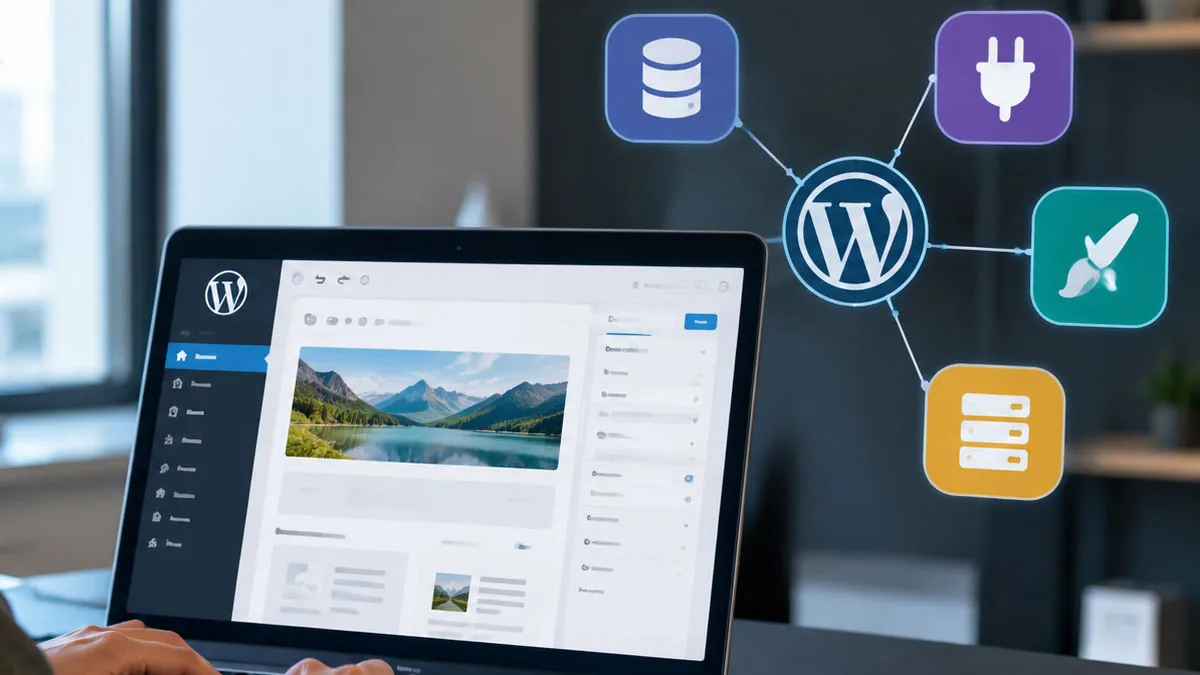
Building a website involves more than arranging text, images, and menus on a screen. Behind every page, a system stores , processes requests, and controls how information appears to visitors. WordPress brings these tasks together through a flexible management system that supports websites ranging from personal blogs to business platforms and online stores.
Understanding its structure makes website management easier to approach. WordPress separates from design, uses a database to store information, and relies on themes and plugins to shape the site’s appearance and functionality. Once these components work together, website owners can publish and organize without manually coding every page.
What Is WordPress?
WordPress is an open-source management system (CMS). It gives users a central interface for creating pages, publishing articles, managing media, and configuring website settings. Its core software handles common website tasks, while themes and plugins extend its capabilities.
WordPress uses PHP to execute server-side code and a MySQL or MariaDB database to store and settings. A web server processes incoming requests and sends the resulting page to the visitor’s browser. This structure separates website management from the final presentation that visitors see.
There are two closely related WordPress services that people often confuse:
- WordPress.org: The home of the open-source WordPress software. Users can install it on compatible hosting and control their site’s configuration.
- WordPress.com: A hosted service that runs WordPress and manages much of the underlying infrastructure. Available features and control depend on the service plan.
The main difference is the level of responsibility for hosting and maintenance. A self-hosted WordPress site gives its owner direct control over the hosting environment, while a hosted service manages more of that infrastructure.
How WordPress Processes A Website Request
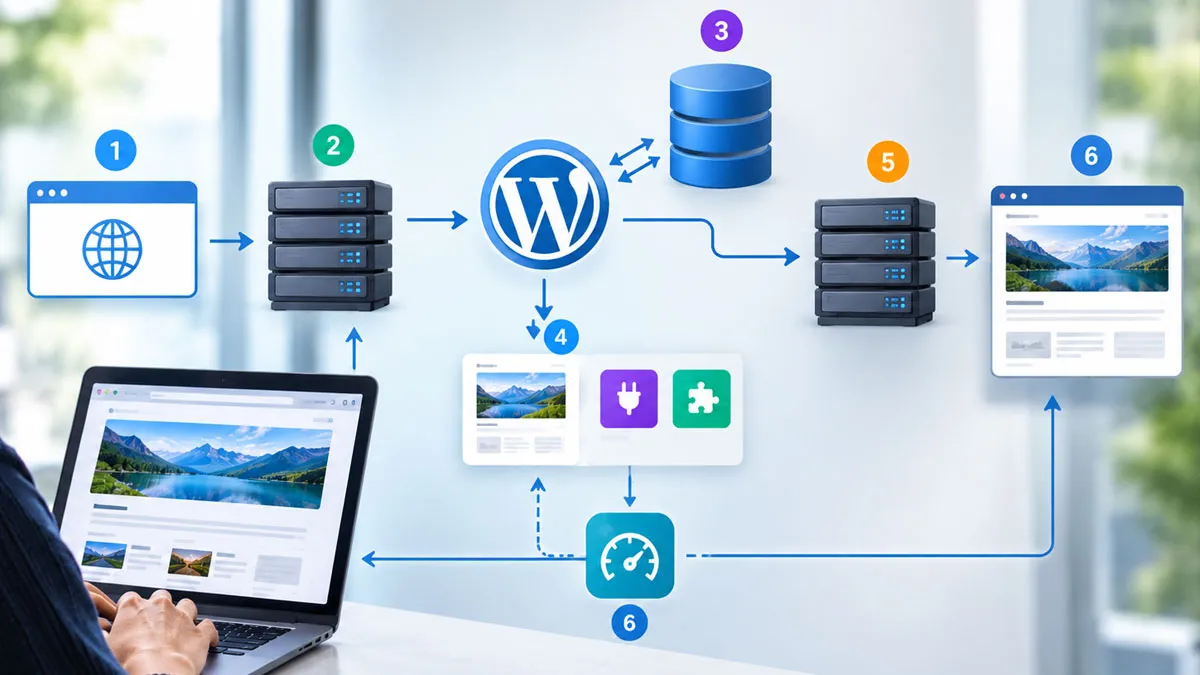
When someone visits a WordPress page, the site processes the request and builds the response. The browser does not simply retrieve a separate, finished HTML file for every page. Instead, WordPress often generates the page dynamically using stored , theme templates, and the site’s active functionality.
- The browser sends a request. A visitor enters a URL or clicks a link. The browser contacts the web server hosting the site.
- The server runs WordPress. The server routes the request to the appropriate application entry point. PHP executes the relevant WordPress code.
- WordPress retrieves information. When needed, the application queries the database for posts, pages, settings, user information, and other stored data.
- The theme builds the page. WordPress selects the relevant template and combines it with the requested and other page elements.
- The server returns the response. The browser receives the generated HTML along with the necessary CSS, JavaScript, and other assets.
- The browser displays the page. The browser interprets the returned files and renders the website on the visitor’s screen.
Caching can change this sequence by storing previously generated pages or other reusable data. When a valid cached response exists, the server may deliver it without repeating every database query and rendering step. This can reduce server workload and shorten loading times.
The Main Components of WordPress
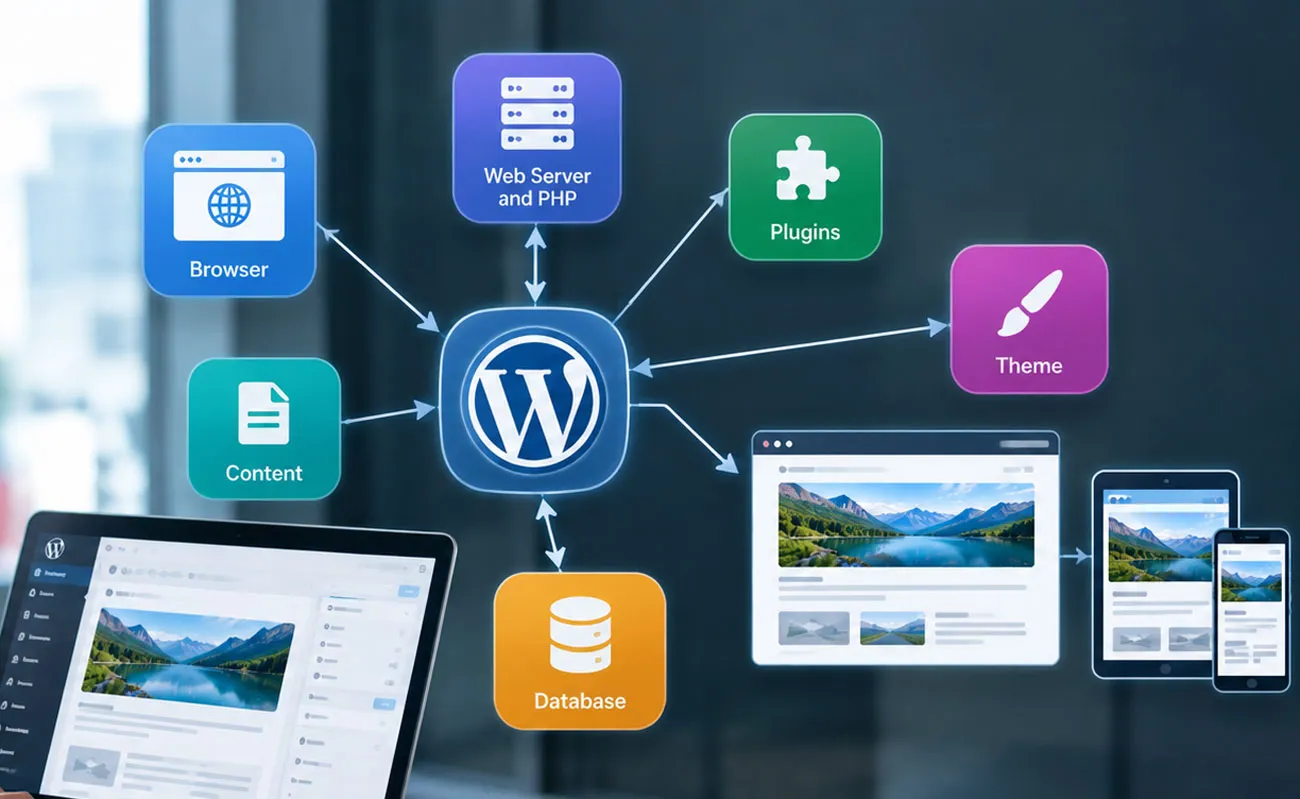
WordPress relies on several connected components. Each has a distinct role, and understanding those roles makes it easier to troubleshoot problems and choose the right tools.
| Component | Primary Role | Typical Example |
|---|---|---|
| WordPress core | Handles essential management and application functions | Publishing posts and managing users |
| Database | Stores , settings, and related records | Saving an article and its publication status |
| Theme | Controls the site’s presentation and layout | Defining page templates and typography |
| Plugins | Add or modify functionality | Creating forms or managing an online store |
| Web server and PHP | Process requests and execute application code | Generating a requested page |
| Browser | Renders the returned website files | Displaying text, images, and navigation |
WordPress Core
The core software contains the features that make WordPress a management system. These include the administrative dashboard, editor, media library, user management, and publishing tools.
Core also defines programming interfaces that themes and plugins use to interact with the application. Developers can extend these interfaces without editing the core files themselves. This separation matters because core updates can replace modified files and overwrite direct changes.
The Database
The database stores much of the information that defines a WordPress site. This includes posts, pages, comments, user records, and configuration options. Additional plugins may create their own tables or store data through existing WordPress mechanisms.
When an administrator edits a page, WordPress saves the changes to the database. When a visitor requests that page, the application retrieves the relevant information and uses it to build the response.
However, the database does not contain every part of the website. Themes, plugins, uploaded media, and core application files generally reside in the site’s file system. A complete backup must account for both the database and the necessary files.
The Administrative Dashboard
The dashboard is the main control panel for website administrators and other authorized users. Its menus organize common tasks, such as editing , changing the site’s appearance, installing extensions, and managing accounts.
User roles and capabilities determine which actions each account can perform. An administrator may manage site settings and extensions, while an author may focus on writing and publishing . These permissions reduce the risk of unauthorized changes when configured correctly.
How WordPress Themes Control Design
A WordPress theme determines how appears to visitors. It controls elements such as page structure, typography, colors, navigation, and the arrangement of areas. The same article can look very different under two themes even when its underlying text remains unchanged.
WordPress supports two broad theme approaches:
- Block themes: Use blocks and theme configuration files to define layouts and design settings. The Site Editor can manage templates and other supported parts of the site’s appearance.
- Classic themes: Commonly use PHP templates, CSS, JavaScript, and WordPress template functions to control presentation.
Block themes offer a visual approach to editing many site-wide design elements. Classic themes can offer a more code-oriented workflow, although their editing capabilities vary. Both approaches can produce flexible, responsive websites.
Choosing a theme involves more than selecting an attractive design. Compatibility, accessibility, mobile presentation, performance, and ongoing maintenance also matter. A well-built theme should present clearly without adding unnecessary complexity.
How WordPress Plugins Extend Functionality
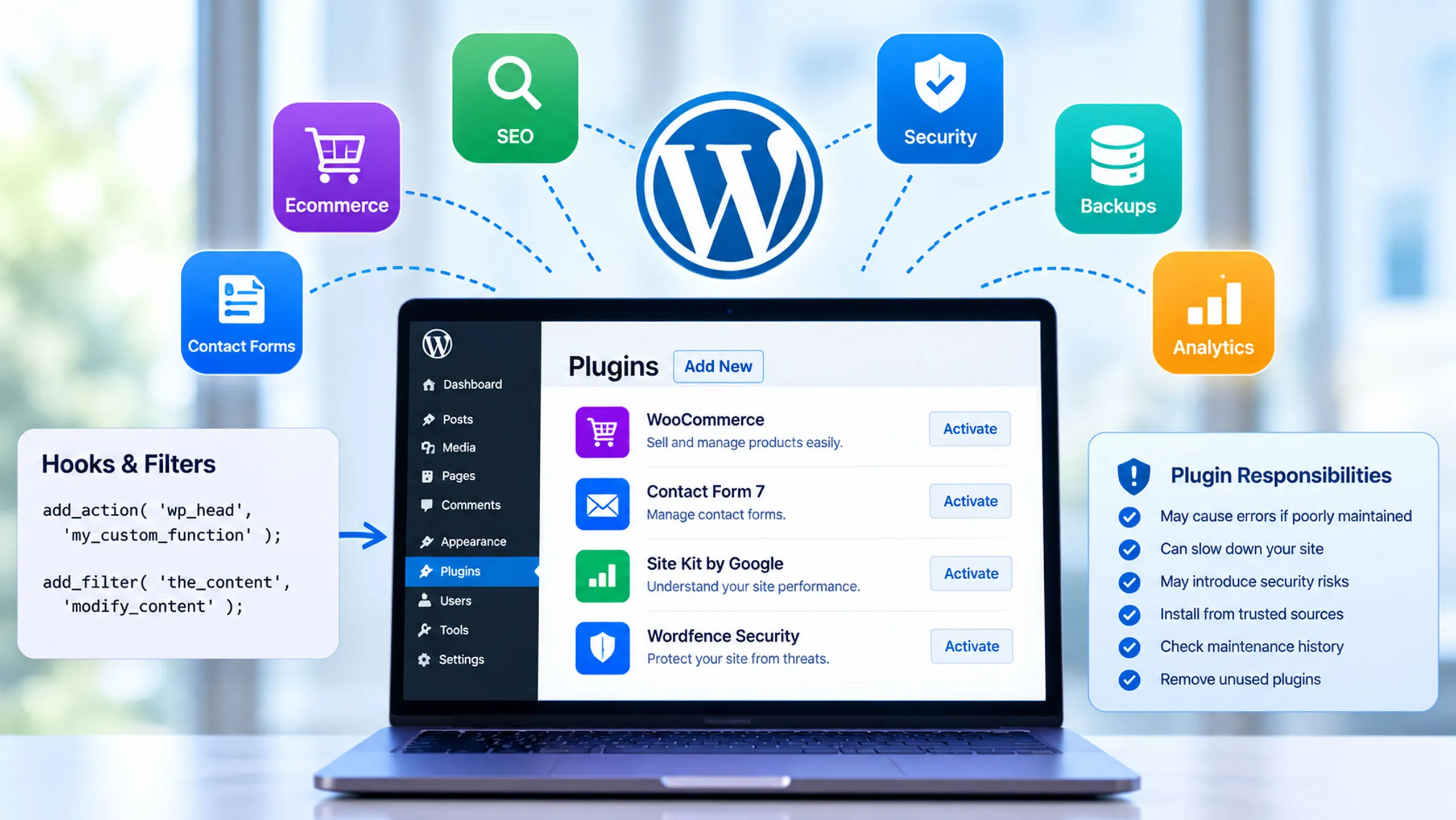
Plugins add features that are not part of the core installation or change how existing features behave. They can support contact forms, search optimization, ecommerce, security controls, backups, analytics, and many other tasks.
WordPress plugins use defined interfaces, including hooks and filters, to interact with the core application. Actions let developers run code at specific points, while filters let them modify values as WordPress processes them.
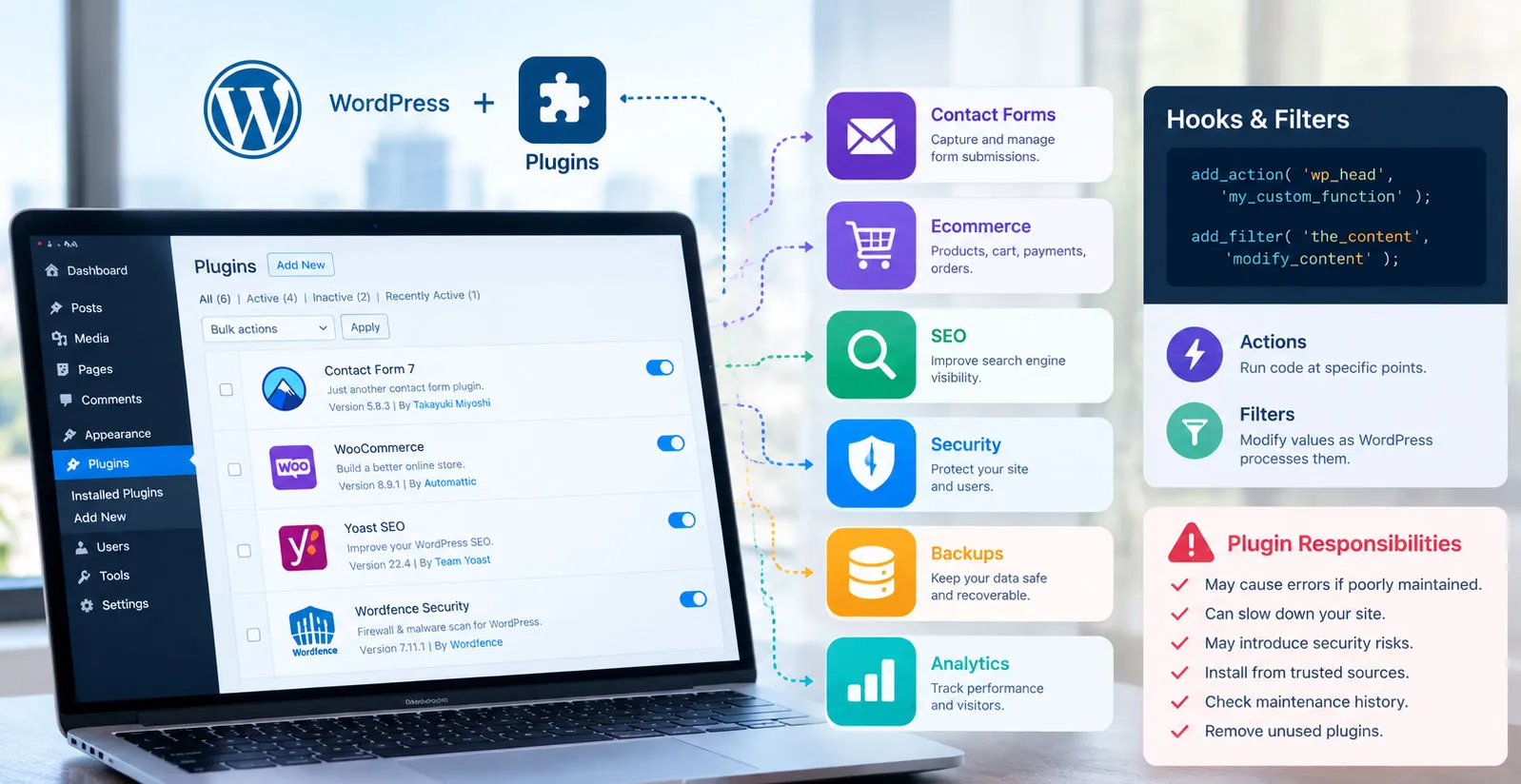
For example, an ecommerce plugin can introduce product records, shopping cart functions, payment integrations, and order management. A form plugin can process submissions and store or forward the information according to its configuration.
Plugins also introduce responsibilities. Poorly maintained or incompatible extensions can create errors, slow pages, or expose security weaknesses. Install only software from sources you trust, review its maintenance history, and remove extensions that the site no longer needs.
How Website Owners Create and Publish
WordPress separates creation from much of the technical work required to display it. Website owners can draft an article, add images, organize information, and publish the result through the dashboard.
Posts, Pages, and Media
Posts suit time-based , such as news articles, blog entries, and updates. They commonly appear in reverse chronological order and can use categories and tags for organization.
Pages suit relatively stable information, such as an About page, a contact page, or a description of services. They can form a hierarchy, with parent and child pages organizing related information.
The media library manages uploaded images, documents, audio, and video. WordPress stores media files in the site’s file system and keeps associated information in the database. Themes and plugins can determine how these files appear within the finished page.
The Block Editor
The block editor organizes into individual blocks. A paragraph, heading, image, list, button, or column can form a separate block within a post or page. Users can move, configure, and combine these elements without writing HTML for every component.
This structure gives editors control over page organization while keeping the underlying publishing system consistent. Developers can also create custom blocks for specialized and workflows.
The Publishing Process
Creating typically involves drafting, reviewing, organizing, and publishing. WordPress supports drafts and scheduled publication, along with settings that control whether is public or restricted.
A typical workflow includes:
- Create a post or page in the dashboard.
- Write the and arrange its blocks.
- Add relevant images, categories, tags, or other metadata.
- Preview the layout and check links, spelling, and mobile presentation.
- Publish the or schedule it for a later time.
After publication, authorized users can edit the , change its visibility, or remove it. The site’s theme determines how the published information appears to visitors.
What WordPress Needs to Run
A self-hosted WordPress website needs a compatible server environment. The main requirements include a web server, PHP to execute WordPress code, and a supported MySQL or MariaDB database. HTTPS is also essential for protecting connections between visitors and the site.
Hosting providers supply different levels of infrastructure management. Some maintain the server software, security controls, and backups, while others leave more of those tasks to the website owner.
Before choosing a hosting service, consider these practical factors:
- Compatibility: Confirm that the server supports a suitable WordPress environment.
- Storage and resources: Match disk space, memory, and processing capacity to the site’s needs.
- Backups: Check how often backups run and how easily you can restore them.
- Security: Review HTTPS support, access controls, isolation, and update practices.
- Scalability: Consider how the hosting environment will handle higher traffic or additional features.
Hosting quality affects reliability and performance, but the software configuration matters too. Excessive plugins, oversized images, inefficient database queries, and weak caching practices can slow a site even on capable hardware.
WordPress Security and Maintenance
WordPress security depends on more than the core software. Hosting configuration, user behavior, themes, plugins, and administrative practices all affect the site’s risk.
Website owners should establish a routine for updates, backups, access management, and testing. These practices reduce avoidable problems and make recovery easier when something goes wrong.
Essential Maintenance Practices
- Keep WordPress core, themes, and plugins updated.
- Use strong, unique passwords and enable multifactor authentication when available.
- Give each user only the permissions required for their work.
- Use HTTPS and choose a reputable hosting provider.
- Maintain backups of both the database and essential site files.
- Test major changes in a staging environment before applying them to a live site.
- Remove unused themes and plugins, especially when they no longer receive maintenance.
Backups deserve particular attention. A backup that has never been tested may fail when it matters most. Periodically verify that the restoration process works and that the saved data covers the site’s essential and configuration.
Security is an ongoing process rather than a one-time installation task. Regular maintenance keeps the software current and reduces the chance that preventable weaknesses will disrupt the website.
How to Improve WordPress Performance
Website performance depends on several stages, including server processing, database access, file delivery, and browser rendering. Improving one stage may not solve a problem caused by another, so performance work should begin with identifying the actual bottleneck.
Caching and Resource Management
Caching stores reusable results so WordPress does not need to repeat the same work for every request. Page caching can serve a previously generated page, while object caching can reuse selected results from database-related operations. Browser caching can reduce repeated downloads of unchanged assets.
Image optimization also matters. Large image files increase download time and consume more bandwidth. Choosing appropriate dimensions, compressing images, and using modern image formats where suitable can reduce page weight without sacrificing necessary detail.
Database and Plugin Efficiency
Every active plugin adds code or configuration to the application, although its performance impact varies. Some plugins perform little work on ordinary page requests, while others add database queries, scripts, or external service calls.
Review the site’s actual performance before removing or replacing components. Use suitable diagnostic tools to identify slow queries, unnecessary assets, and expensive operations. Changes based on measured results are more reliable than assumptions about which plugin or theme is responsible.
What WordPress Can and Cannot Do
WordPress can support many types of websites, including blogs, company websites, portfolios, educational resources, membership platforms, and online stores. Its flexibility comes from the combination of core features, themes, plugins, and custom development.
However, flexibility does not mean every website is simple to operate. Complex projects may require specialist development, integration work, performance tuning, and ongoing security management. The right configuration depends on the site’s purpose, traffic, data, and operational requirements.
WordPress is also not a substitute for every external service. A site may rely on separate payment processors, email platforms, customer management systems, or other applications. Plugins and APIs can connect these services, but each integration introduces its own configuration and security considerations.
Understanding the WordPress System as a Whole
WordPress works by connecting management, server-side processing, database storage, design templates, and optional extensions. Each component performs a distinct task, yet the visitor sees the combined result as a single website.
The core software manages the publishing system, the database stores structured information, themes control presentation, and plugins add specialized features. The hosting environment runs the application, while the browser renders the finished response.
Once these relationships become clear, WordPress is easier to manage and troubleshoot. Website owners can make informed decisions about design, functionality, hosting, security, and performance without treating every problem as a separate mystery. A reliable site begins with a sound configuration and stays reliable through careful maintenance.